

Step 1: The “Base” Booking
The process is actually quite simple. Start by booking an entry-level room. Whether you use cash or Bonvoy points, the eligibility remains the same.
For my examples, I booked the The St. Regis Dubai, The Palm
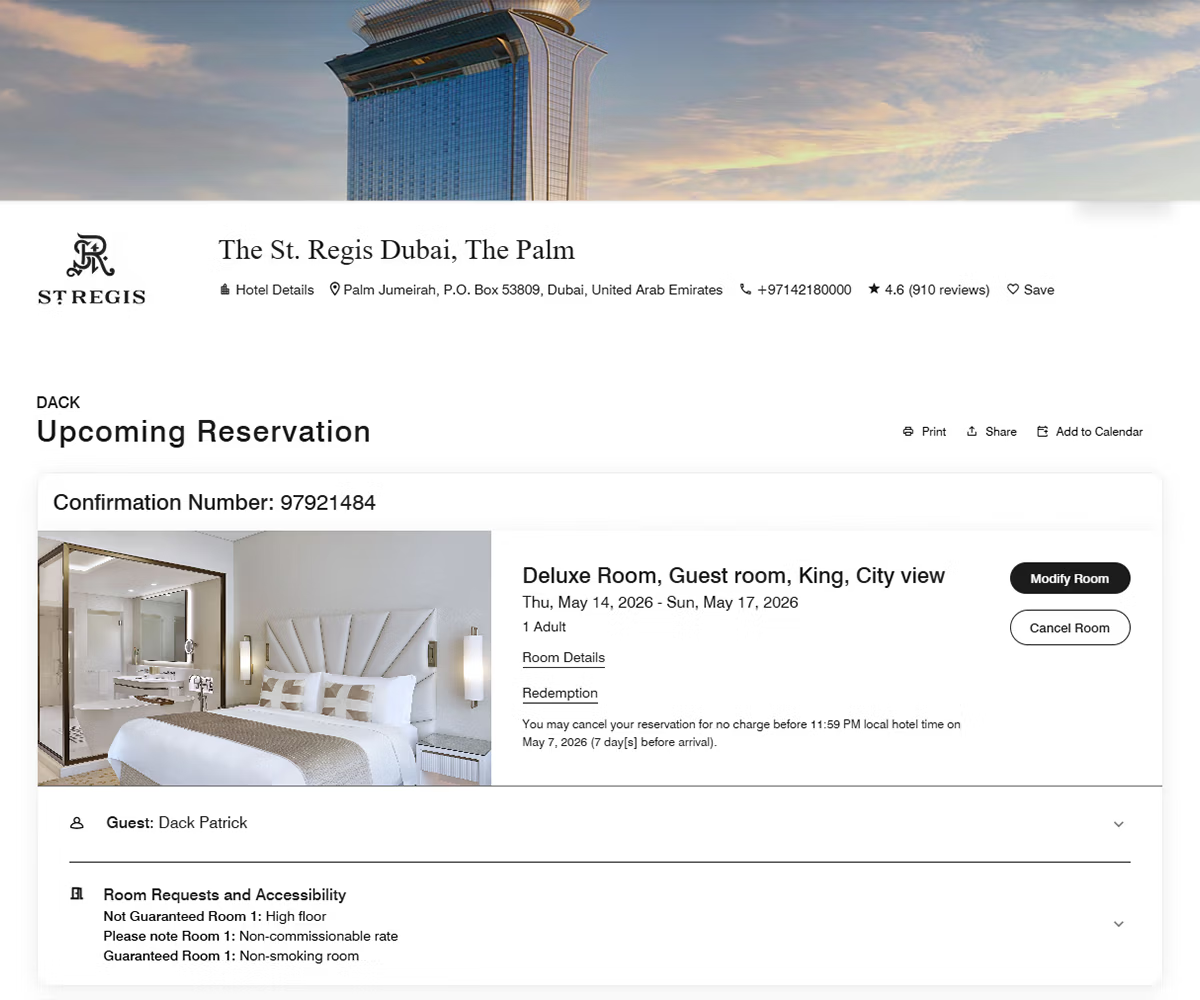
Step 2: Find the “Magic Bell”
Once you’ve booked, head back into your Marriott app or website. Open your reservation, and you’ll notice in the app a little bell icon (or on the website the “You’re Eligible for an Upgrade” button) next to your stay details. Click that bell, and you’ll immediately see if your stay is eligible for an upgrade request.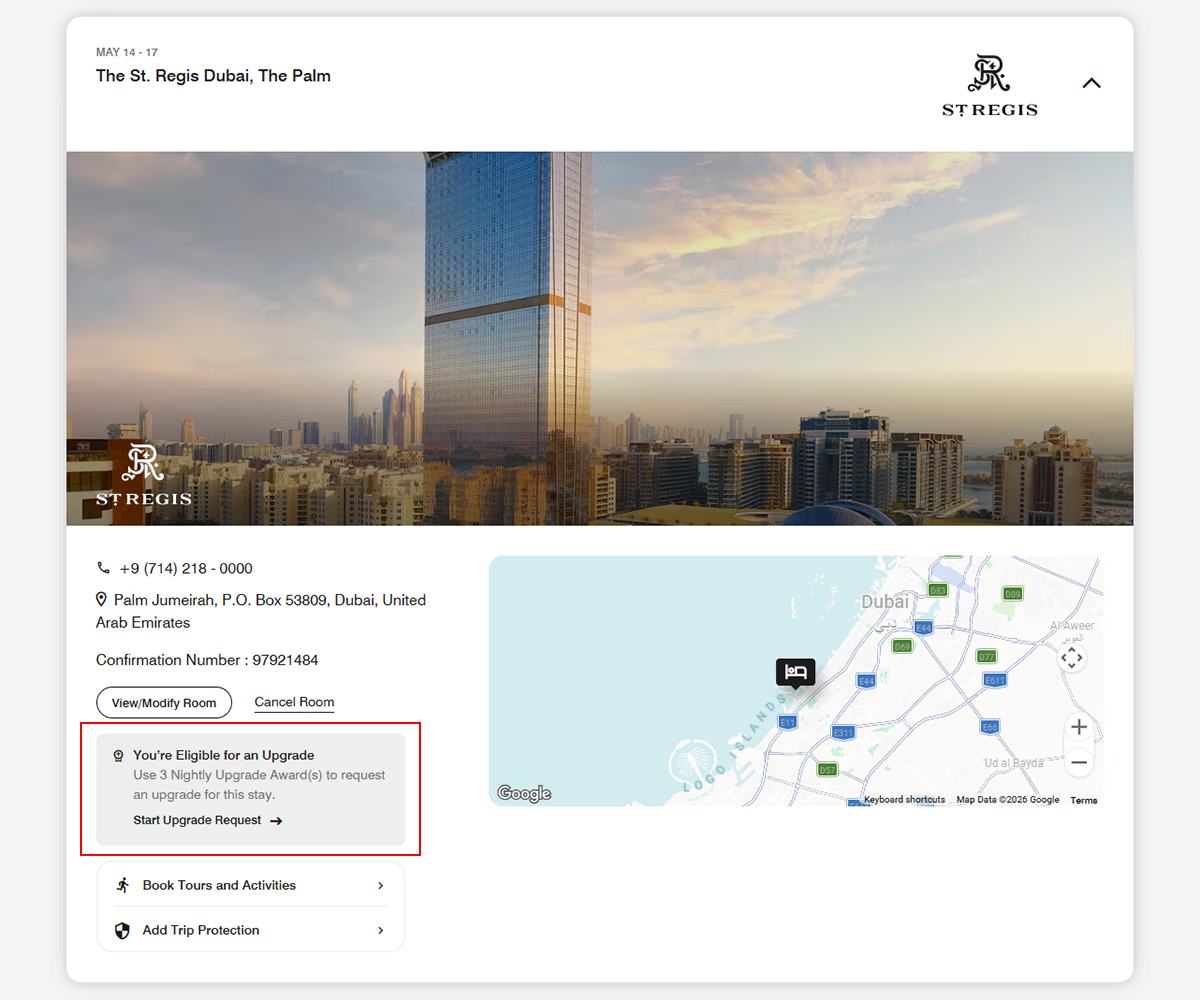
Step 3: The Selection Game
Now comes the strategy. The system usually lists rooms from most expensive/luxurious at the top to least expensive at the bottom.
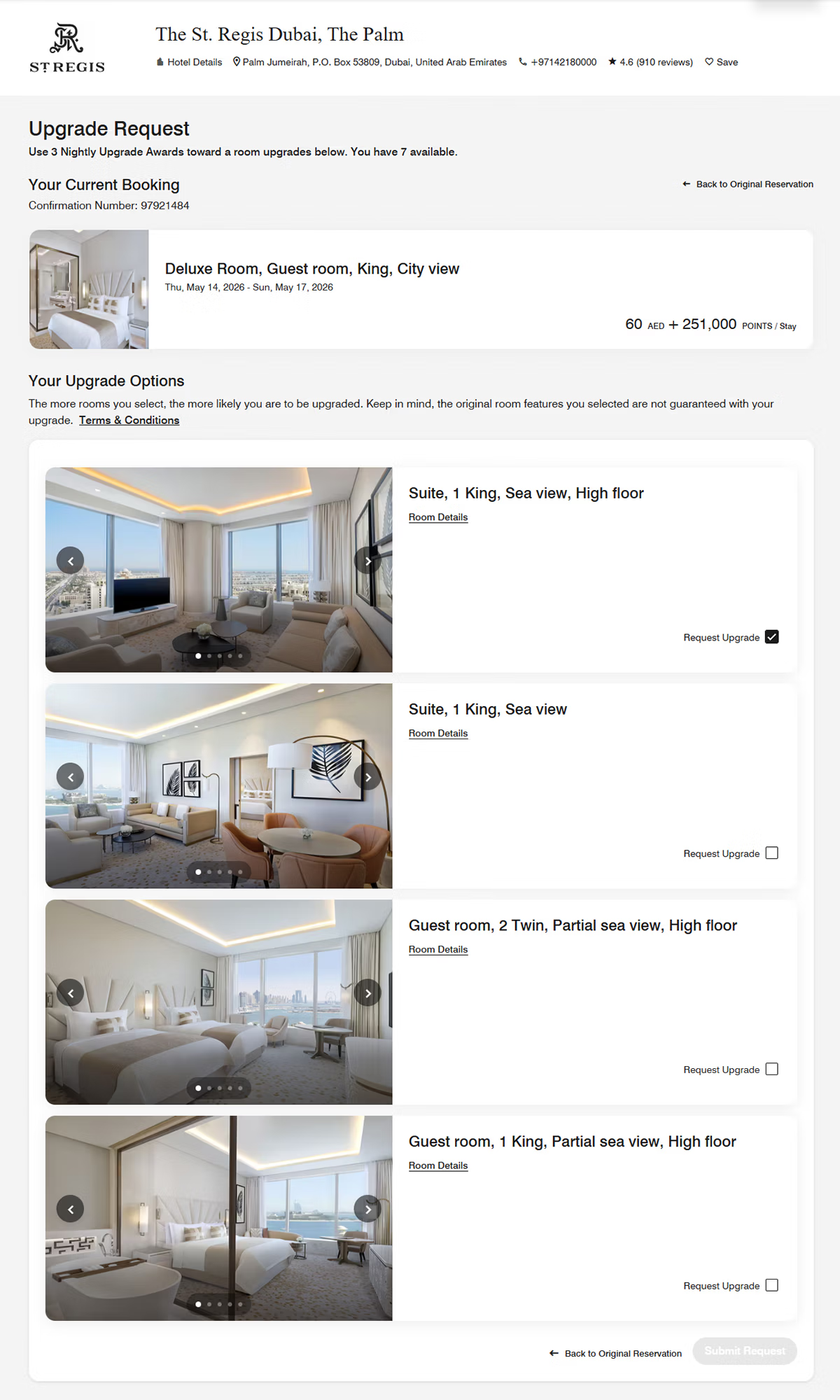
Pro Tip: Don’t just pick the biggest room. I always cross-reference with TripAdvisor or the hotel’s own website to see what the “vibe” of the room actually is.
Step 4: The Waiting Game
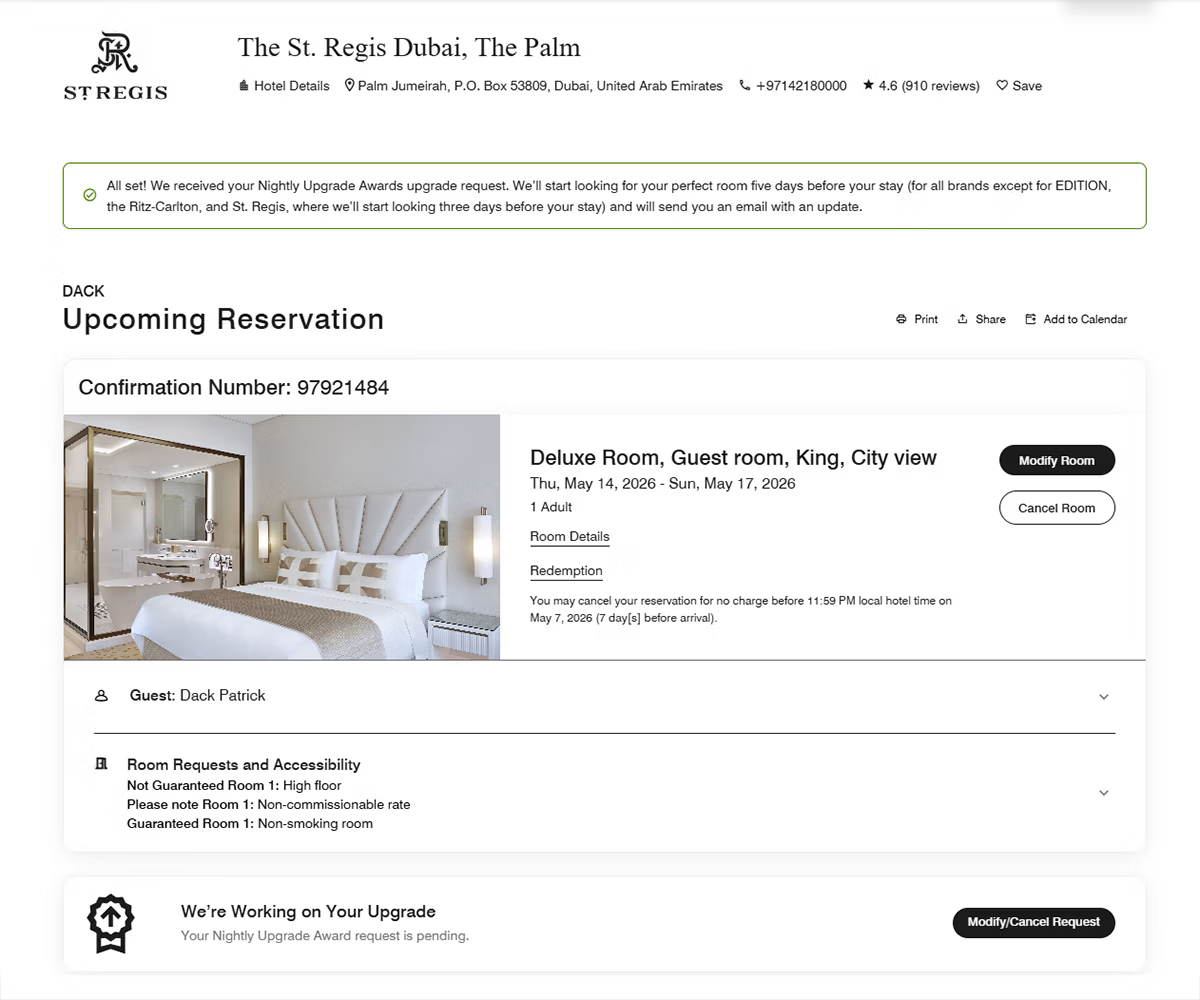
Once you submit, the “automation” takes over. Marriott’s system starts checking for availability about 3 to 5 days before your arrival.- Luxury Brands (Ritz-Carlton, St. Regis, EDITION): Usually start checking 3 days out.
- Other Brands: Can start checking up to 5 days out.
Step 5: The Confirmation
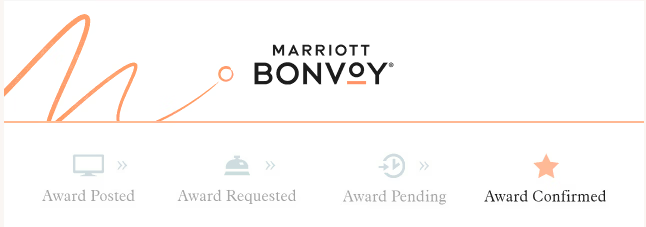
When the magic happens, you’ll receive an email titled “Your Award Upgrade Is Confirmed” … This is the moment you can start celebrating!
Once confirmed, your reservation in the Marriott app will officially update to show your new room type. I always recommend opening the app and taking a screenshot of the updated reservation details just to have it handy for check-in.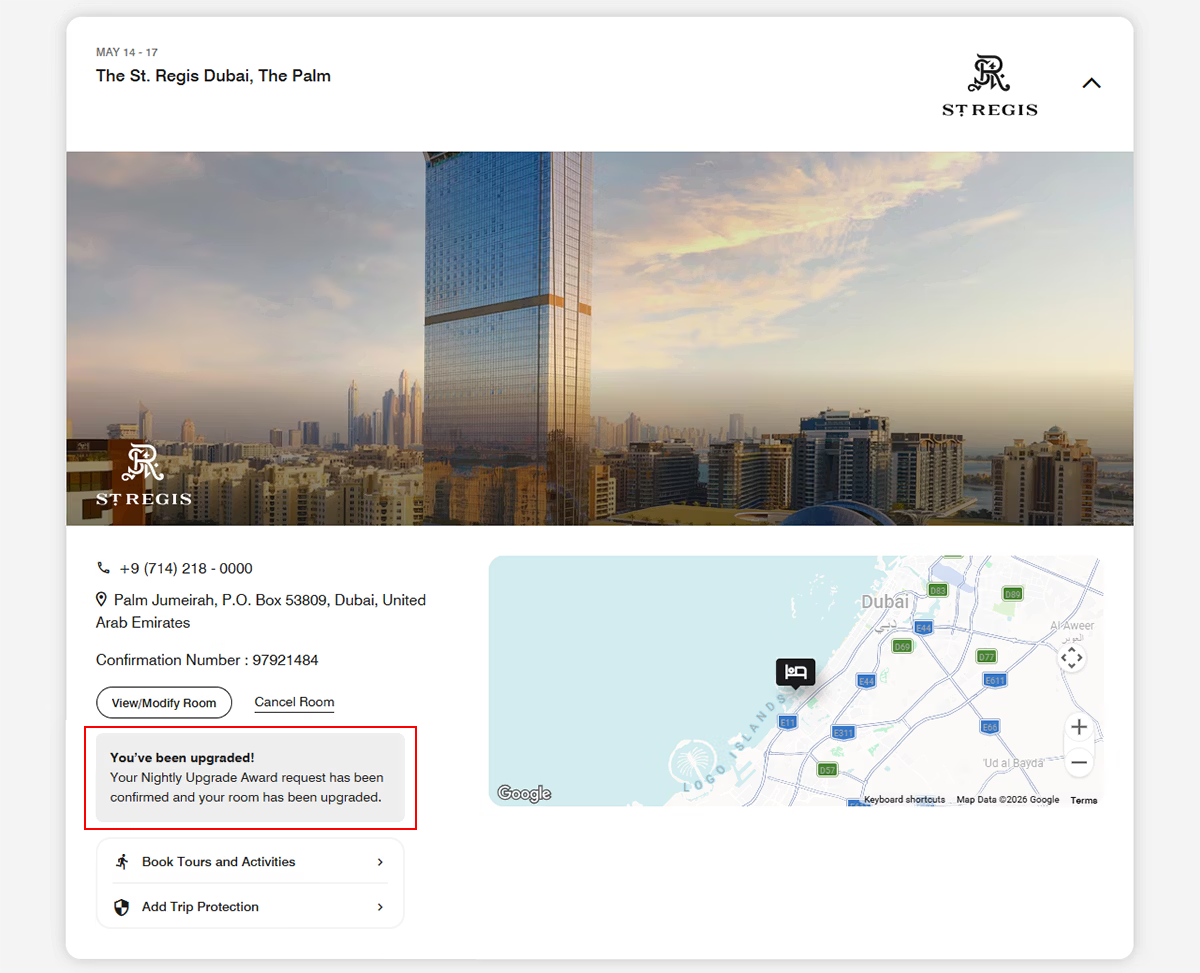





Step 5: The Confirmation
When the magic happens, you’ll receive an email titled “Your Award Upgrade Is Confirmed” … This is the moment you can start celebrating!
Once confirmed, your reservation in the Marriott app will officially update to show your new room type. I always recommend opening the app and taking a screenshot of the updated reservation details just to have it handy for check-in.Important Note on Cancellations
Once an upgrade is confirmed, the rules change. You can usually only get your awards back if you cancel the entire reservation before the hotel’s cancellation deadline (typically 2:00 PM the day before arrival). If you check in or wait too long, those awards are considered “used.”Final Strategy
Common wisdom says: “The more boxes you check, the higher your chances.” While true, I often only select one specific suite if that’s the only one I truly want. If I don’t get it, I’d rather keep my award for a future trip and hope for a standard Elite upgrade at check-in.
Happy traveling, and enjoy those suites!